R

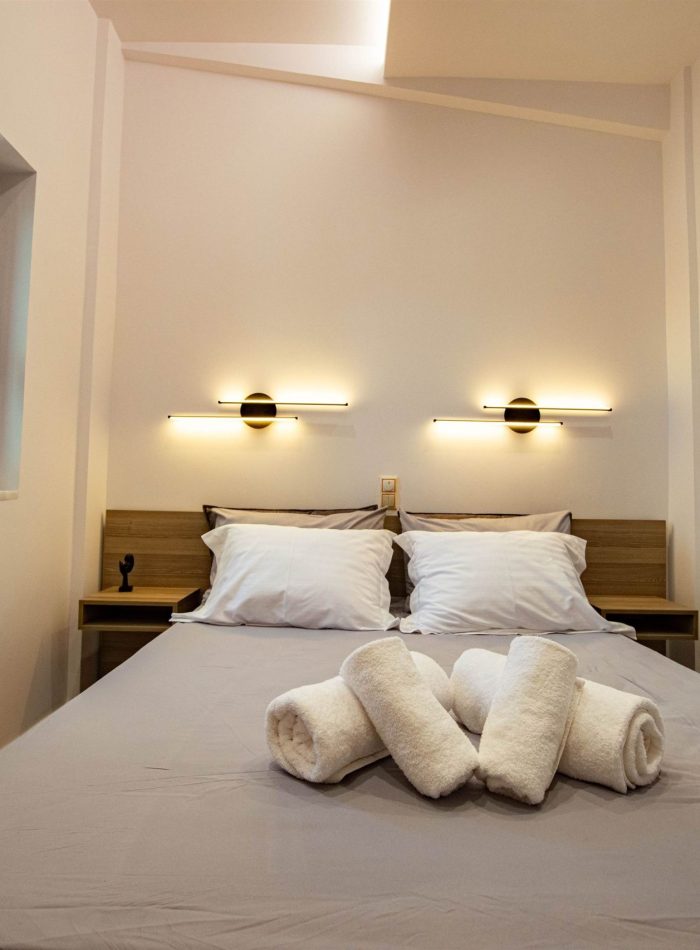
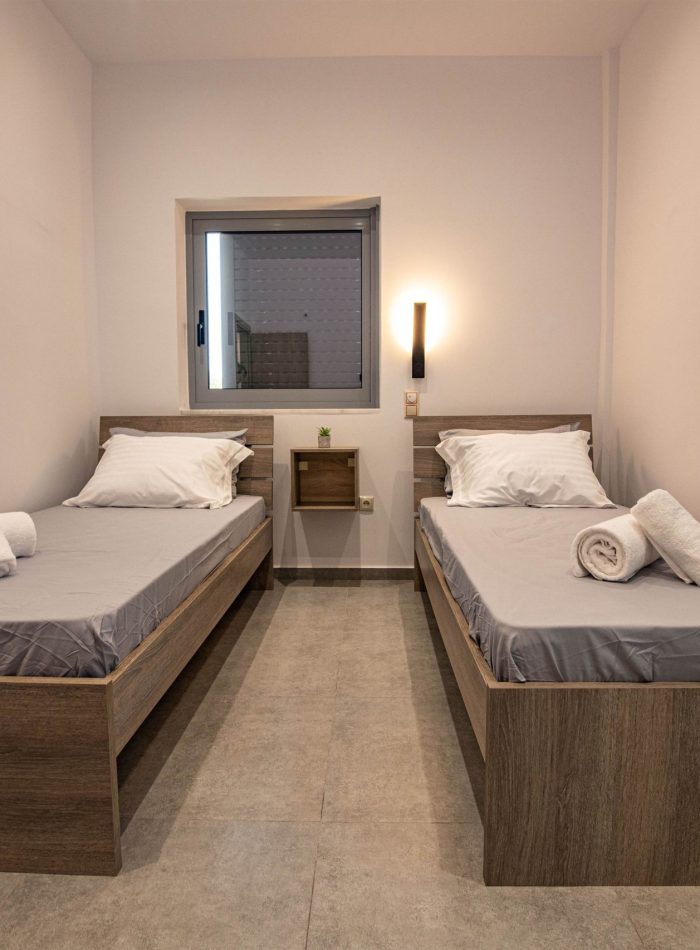
ikia Deluxe Houses boasts two bedrooms; one with a cozy double bed, and another with two single beds. We provide an alarm system for your safety, and a fully equipped kitchen for your cooking comfort.

This complex is a wonderful destination, capturing a harmonious synthesis between modern and natural beauty. Overlooking the sea, the modern accommodations offer the perfection of tranquility while offering many amenities.

From the equipped kitchen to the smart LED mirror in the bathroom and the smart lock, every detail ensures your well-being and security. With access to magnificent beaches and neighboring towns, this property embodies the ultimate experience of living in Messinia.

rikia-deluxe-houses-holiday-rentals-messinia

Amenities & Facilities

Smart TV

Satelite Channels

Heating

Refrigerator

Coffee Machine

Air Conditioning

Hair Dryer

Iron

Toaster

Oven

Security Alarm

First Aid Kit

Window Mosquito Net

Free Parking

Balcony

Shower

Free Wifi

No Pets

No Parties

Smoking only Outside

Important Information

What are the check-in and check-out times?

Check-in is available after 3:00 PM, and check-out is at the latest by 11:00 AM. We kindly ask that you adhere to the check-out time to allow our team sufficient time to prepare the house for the next arrival. Your cooperation is greatly appreciated.

What is the process for check-in and check-out?

At Rikia Deluxe Houses, we've implemented a convenient smart lock system to facilitate independent check-in and check-out for our guests. Upon arrival, you'll receive a unique code that you can enter on the designated machine located next to the door of your reserved house. This code will grant you access to the house, ensuring a seamless and hassle-free experience during your stay.

How do the smart locks on the entrance doors operate?

The smart locks on the entrance doors function using a code that will be provided before your arrival. To access the house, guests simply enter the code on the keypad located right next to the entrance door. This action triggers the automatic unlocking of the door, granting entry. To secure the door upon leaving, guests can press the arrow button on the keypad, and the door will lock automatically.

For added convenience, when inside the house (such as during bedtime), guests can utilize the button located on the smart lock mechanism on the interior side of the door to lock and unlock it without needing the code. This streamlined process ensures ease of entry and security throughout your stay.

How is the electricity activated?

To power up the electricity, locate the card switch socket to the left of the entrance door. You'll find the card switch provided there. Insert the card switch into the socket to activate the power. Remember to remove the card switch from the socket when you leave the house to ensure the power is turned off. This simple procedure ensures efficient energy usage during your stay.

Is there a security alarm system for the house?

Absolutely, your safety is our priority. Each house is equipped with a security alarm. To activate the alarm, you can use your card provided by the cjeck-in. Simply pass the card in front of the machine located beneath the electrical panel twice. If you hear a continuous sound after the second swipe, the alarm has been successfully armed, and you'll have 30 seconds to leave the house. Should 30 seconds pass without exiting, the alarm will activate. To deactivate the alarm, swipe the card once in front of the machine within 30 seconds in the same manner. Failure to do so will result in the alarm sounding again. Your security and peace of mind are of utmost importance to us.

How do the air conditioners work?

To activate the air conditioners in the house, ensure that all windows in each room are closed. If any window is left open, the air conditioners will not function. If you've already turned on the air conditioners and then open a window, the air conditioners will automatically switch off after a few seconds. This setup is designed to optimize the cooling efficiency and maintain a comfortable atmosphere.

What should you keep in mind when using the kitchen?

When using the kitchen, it's important to ensure that the hood is turned on while cooking to effectively manage odors and fumes. After cooking, please remember to ventilate the area to prevent lingering odors inside the house. Additionally, any items used from the kitchen, such as utensils, glasses, plates, and so forth, should be washed after use. Once dried, kindly place them back in the cupboard from where they were taken. Your cooperation in maintaining the kitchen's cleanliness and functionality is greatly appreciated.

How does the LED mirror in the bathroom function?

Operating the smart LED mirror in the bathroom is a straightforward process. To begin, use the switch located outside the bathroom (in the hall) to activate the mirror. Once it's turned on, you can control its functions through an on/off touch button directly on the mirror. Furthermore, you have the option to connect your personal device to the mirror via Bluetooth, allowing you to enjoy your preferred music not only in the bathroom but also in any other room of your choice. When connecting via Bluetooth, the mirror's device name is BL12-A5. This feature enhances your bathroom experience by offering both lighting and entertainment options.

How does the TV in the bedrooms work?

The TV in the twin bedroom also offers satellite channels. To switch from local channels to satellite channels, follow these steps: Using the remote control, press the "Guide" button, then the "..." button (marked with three bells). Navigate to the "filters" option, select "program mode," choose "Satellite," and exit. To return to the previous screen, use the return arrow button. The same procedure can be applied to switch from satellite to antenna reception. In this case, in the program mode, choose "receive with antenna" instead of "Satellite." This provides you with the flexibility to enjoy a variety of channels based on your preferences.